A home page built to convert, not just to look nice
Hero, trust signals, treatment overview and the booking request all above the fold on mobile, not buried under a slideshow.
Dental practice website design succeeds when a patient can find their treatment, see whether their insurance is accepted, and submit a booking request without ever picking up the phone. Most practice sites fail at that basic job because they were built once, for a launch date, and never touched again. We design around the questions patients actually type, not around what looks impressive in a portfolio.
What it costs
Detail 01
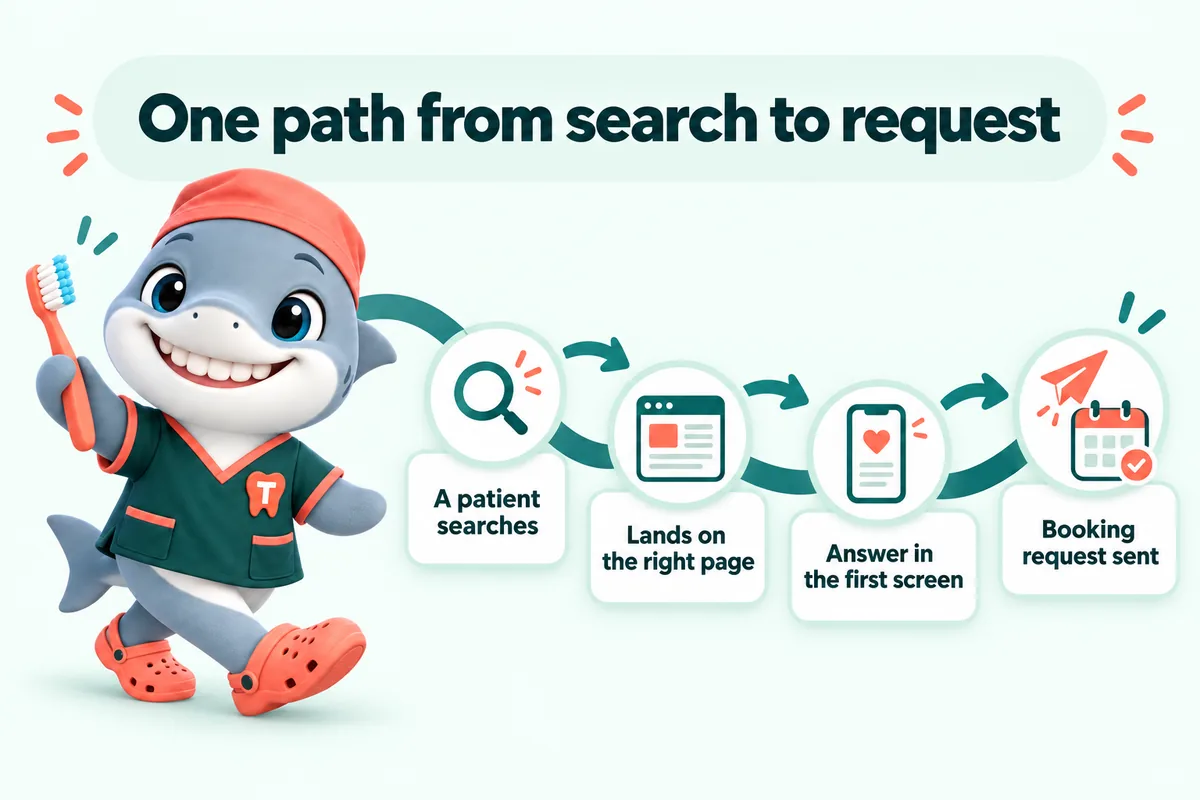
Before we choose a single color, we map the journey: how a patient searching "dentist near me" or "same-day crown" lands on a page, what they need to see in the first screen, and what has to happen for them to submit a request. The home page, treatment pages and the booking form are designed as one connected path, so a visitor never has to guess what to click next or scroll past three sections of stock photography to find your phone number.
Detail 02
The design is built around real photography of your office and team wherever you can provide it, in your existing brand colors if you have them, or a palette we set from scratch that reads as calm and clinical rather than generic. Nothing is a stock template with your logo dropped in. Structure comes from patterns that work across dental sites; the look is specific to your practice.
Detail 03
Most patients search for a dentist on their phone while sitting in pain or on a lunch break, not at a desktop. Every layout is designed mobile-first: large tap targets, a booking button that stays reachable, and copy that answers the question in the first sentence instead of making someone scroll. We test every page on a throttled phone connection before it ships, not just in a browser window resized smaller.
Detail 04
A launched design is the starting point. Team changes, new equipment, a seasonal offer or a retired treatment all mean the design needs small updates, and those are included every month rather than billed as a separate project. That is the difference between a design agency that hands you a file and a design and management company that keeps the site right as your practice changes.
Deliverables
Hero, trust signals, treatment overview and the booking request all above the fold on mobile, not buried under a slideshow.
Cleanings to crowns to implants, each written in plain language with the booking request at the end.
The carriers you accept and how billing works, answered before the phone rings.
Reason for visit, insurance and preferred times land in your PMS or CRM, labeled clearly as a request.
Designed and tested on a phone first, since that is where most patients search.
One domain included at no charge for as long as your plan is active, plus hosting, SSL and backups with no separate bill.
Five revisions a month are included so the design keeps pace with your practice, requested from your client portal.
Included
Not included
The build
Four steps, and the only one you pay for before launch is the first month.
Live demo
A 30-minute walk-through of the site you would get, with your treatments, your carriers and the booking request wired the way your front desk wants it.
Speed and ads
If the practice runs Google Ads or social ads, the landing page is half the result. A slow or confusing page wastes the click you paid for. A fast, specific page helps keep it, and can help lower what you pay for the next one.
We do not promise a specific cost-per-click, percentage or ranking. We build the page the ad lands on to be fast, relevant and easy to act on.
Static pages, compressed photos and almost no JavaScript, served from Cloudflare. Every page targets 90+ on Google PageSpeed and is re-tested after each change.
Large tap targets, the booking request always one tap away, and the answer to the heading in its first sentence.
Google lists landing-page experience as one of the three parts of Quality Score, and says higher-quality ads can often lead to a lower cost per click. A fast, relevant treatment page helps on both counts.
When a page loads before the visitor gives up, fewer people bounce back to the search results, so more of the clicks you already paid for reach the booking request.
Sources: Google Ads Help, "About Quality Score" (checked September 2026); Google Ads Help, "About Ad Rank" (checked September 2026).
What you get
What every plan carries, and which plan adds the AI Engine or the Content Engine.
Cleanings, crowns, root canals, implants, aligners, whitening, emergencies and whatever else you offer, each on its own page with an FAQ block and the booking request.
Single Operatory: includedFull Practice: includedMulti-Location: included
A page per office with hours, parking, team and map, plus pages for the neighborhoods and nearby towns your patients come from. Multi-Location adds a location hub.
Single Operatory: includedFull Practice: includedMulti-Location: included
The carriers you accept, how billing works at your office, and your financing or membership options, in plain words.
Single Operatory: includedFull Practice: includedMulti-Location: included
A short request form (reason for visit, carrier, preferred times) that is clearly a request your front desk confirms, with an automatic reply to the patient.
Single Operatory: includedFull Practice: includedMulti-Location: included
Every request is pushed by API, Zapier or Make into your practice management system where it accepts external requests, and into your CRM in every case, with new patients tagged.
Single Operatory: includedFull Practice: includedMulti-Location: included
Static pages served from Cloudflare, compressed photos and almost no JavaScript, re-tested after every change.
Single Operatory: includedFull Practice: includedMulti-Location: included
Readable type sizes, color contrast and large tap targets for patients of every age, built with the WCAG guidelines in mind.
Single Operatory: includedFull Practice: includedMulti-Location: included
Hours, team, offers, carriers and treatment changes, done within 2 to 5 working days. Extra revisions are a flat fee, never hourly.
Single Operatory: includedFull Practice: includedMulti-Location: included
One place to request revisions, raise tickets and send files, with an optional named approver who signs off every change on a preview link.
Single Operatory: includedFull Practice: includedMulti-Location: included
Cloudflare hosting, a self-renewing SSL certificate, daily backups, uptime monitoring and security headers, all inside the monthly fee.
Single Operatory: includedFull Practice: includedMulti-Location: included
A domain registered in your practice's name at no charge while your plan is active, or your existing domain pointed at the new site with DNS managed.
Single Operatory: includedFull Practice: includedMulti-Location: included
The domain is in your name and the content we write is yours. On cancellation you get a full export within 14 days.
Single Operatory: includedFull Practice: includedMulti-Location: included
Every page on your current site is mapped to a page on the new one and redirected, so links and search results keep working.
Single Operatory: includedFull Practice: includedMulti-Location: included
Client words
Honestly, the redesign was nice, but the inquiry form is what changed our day-to-day. The form gathers visit reason, preferred day and callback details at the start, exactly the details our follow-up messages always requested. Most mornings I can prepare for the callback from the first message alone.
My first check was simple: open the new patient appointments page on a phone and try to get in touch. Everything a visitor needs is up top, and the inquiry button stands out properly. Staff can now text a single link mid-call instead of narrating the menu.
The new patient appointments form used to punish anyone who missed one answer. It points at exactly what needs fixing and preserves everything else. It now helps people finish instead of catching them out.
Case studies
Real practices where this work was part of the build, and what changed at the front desk.
A generic template gives every business the same five pages and leaves you to fill them in. Practice website design starts from how patients search for a dentist and builds the page structure, treatment content and booking flow specifically for that, then applies a look built around your actual office and team rather than stock photography.
You provide what you have through the onboarding form: office and team photos, your treatment list and how you describe them. Anything you do not have yet can follow later by email or as a ticket in your client portal, and we can proceed with the build using placeholders until it arrives.
Yes. If you have brand colors, a logo and fonts already, we build the design around them. If you do not, we set a palette during onboarding that fits a dental practice and stays consistent across every page.
A single-location practice is typically live in 7 days from the onboarding call, assuming we have your treatments, photos and team details. Pages arrive on a preview link as they are designed so you can comment before anything goes live.
Five revisions a month are included at every plan level, with no size limit on what one revision covers, so redesigning a section or updating photography is a normal request rather than a new project.
Yes. Type sizes, color contrast and tap targets are set so the site is comfortable for patients of every age, and we test on a throttled phone connection rather than a designer's monitor. The site ships with an accessibility statement and is built with the WCAG 2.2 AA guidelines in mind.
Yes. The home page and the new patients page carry your current offer, and the insurance page lists the carriers you accept with a plain explanation of how billing works at your practice. Both are normal weekly updates when they change; the wording and any figure come from you.
All of them. Every plan includes the full design, a page for every treatment, location pages, the booking request and the weekly changes. The Full Practice plan adds the AI receptionist and chat, and Multi-Location adds the Content Engine.
Next step
A live walk-through of the site you would get, in about 30 minutes. Plans from $137 a month, the $797 build fee invoiced only after launch, domain and hosting included.
Book a demoOr email and a person replies within one working day.
GetDentalWebsite uses the cookies below. Necessary cookies keep the site working and cannot be turned off.
Saved on this device only. Press Esc to close.