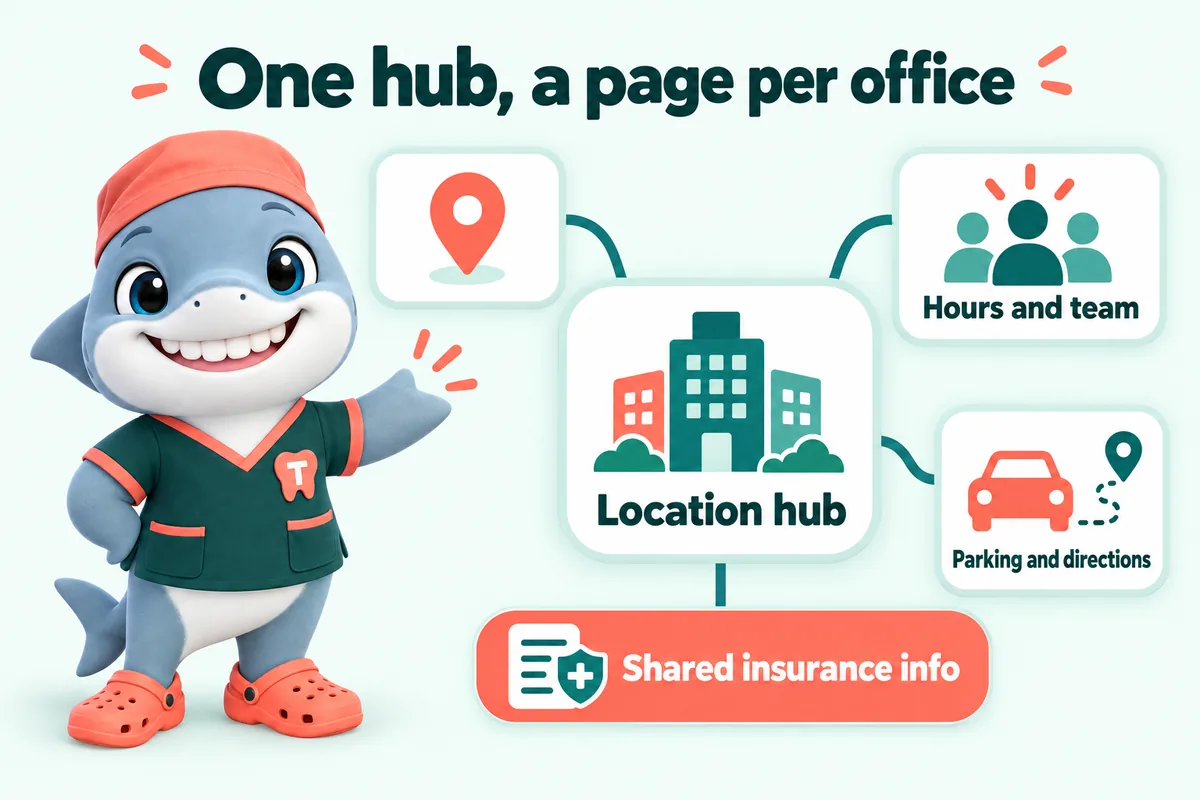
A dedicated page for every office
Hours, parking, team and directions specific to that location.
Multi-location dental websites fail most often when every office shares a single generic locations page instead of getting its own, which means none of them rank well in local search for their specific address and neighborhood. The Multi-Location plan gives each office a real page, ties them together with a location hub, and keeps every Google Business Profile current, under one build fee for the whole group.
What it costs
Detail 01
Each location gets its own page with hours, parking, team and directions specific to that address, plus the neighborhoods it serves. That is what allows a patient searching for a dentist in one specific area to find the right office directly, rather than landing on a generic locations list and having to guess which one is closest.
Detail 02
On top of the individual location pages, a location hub gives an overview of the whole group, useful for a patient who is choosing between offices or a referring provider who wants to see the full practice. It is also where shared information, like accepted insurance across the group, lives once instead of being duplicated inconsistently across pages.
Detail 03
Multi-location practices often let some Google Business Profiles go stale while focusing attention on one main office. The Content Engine on this plan keeps every profile in the group current, alongside three researched articles, three social image posts and two reels a week, so visibility does not depend on which location happens to get attention that month.
Detail 04
The one-time build fee covers the group as a single build rather than being charged per office, and each additional office beyond what is scoped at signup is priced on the demo call rather than as a surprise. Launch for a multi-location group typically runs up to 15 days from the onboarding call.
Deliverables
Hours, parking, team and directions specific to that location.
An overview page for patients choosing between offices or referring providers.
Kept current across the whole group, not just the main office.
Plus three social image posts and two reels a week, in your brand.
Each office's requests reach the right team through your PMS or CRM.
Additional offices beyond the initial scope are priced on the demo call.
Included
Not included
The build
Four steps, and the only one you pay for before launch is the first month.
Live demo
A 30-minute walk-through of the site you would get, with your treatments, your carriers and the booking request wired the way your front desk wants it.
SEO, AEO, GEO and schema
Patients now search three ways: they type into Google, they ask a voice assistant, and they ask an AI chat tool. Your website is built for all three on every plan, as part of the build, not as an add-on.
SEO
SEO is what gets your practice listed when someone searches for a treatment in your town.
AEO
AEO shapes your content so it can be lifted as the answer in featured snippets, voice answers and AI summaries.
GEO
GEO makes your practice easier for AI assistants such as ChatGPT, Claude, Perplexity and Google AI Overviews to find, understand and cite.
Schema
Schema is a layer of labels in the page code that tells search engines exactly what each thing on the page is.
What you get
What every plan carries, and which plan adds the AI Engine or the Content Engine.
Cleanings, crowns, root canals, implants, aligners, whitening, emergencies and whatever else you offer, each on its own page with an FAQ block and the booking request.
Single Operatory: includedFull Practice: includedMulti-Location: included
A page per office with hours, parking, team and map, plus pages for the neighborhoods and nearby towns your patients come from. Multi-Location adds a location hub.
Single Operatory: includedFull Practice: includedMulti-Location: included
The carriers you accept, how billing works at your office, and your financing or membership options, in plain words.
Single Operatory: includedFull Practice: includedMulti-Location: included
A short request form (reason for visit, carrier, preferred times) that is clearly a request your front desk confirms, with an automatic reply to the patient.
Single Operatory: includedFull Practice: includedMulti-Location: included
Every request is pushed by API, Zapier or Make into your practice management system where it accepts external requests, and into your CRM in every case, with new patients tagged.
Single Operatory: includedFull Practice: includedMulti-Location: included
Static pages served from Cloudflare, compressed photos and almost no JavaScript, re-tested after every change.
Single Operatory: includedFull Practice: includedMulti-Location: included
Readable type sizes, color contrast and large tap targets for patients of every age, built with the WCAG guidelines in mind.
Single Operatory: includedFull Practice: includedMulti-Location: included
Hours, team, offers, carriers and treatment changes, done within 2 to 5 working days. Extra revisions are a flat fee, never hourly.
Single Operatory: includedFull Practice: includedMulti-Location: included
One place to request revisions, raise tickets and send files, with an optional named approver who signs off every change on a preview link.
Single Operatory: includedFull Practice: includedMulti-Location: included
Cloudflare hosting, a self-renewing SSL certificate, daily backups, uptime monitoring and security headers, all inside the monthly fee.
Single Operatory: includedFull Practice: includedMulti-Location: included
A domain registered in your practice's name at no charge while your plan is active, or your existing domain pointed at the new site with DNS managed.
Single Operatory: includedFull Practice: includedMulti-Location: included
The domain is in your name and the content we write is yours. On cancellation you get a full export within 14 days.
Single Operatory: includedFull Practice: includedMulti-Location: included
Every page on your current site is mapped to a page on the new one and redirected, so links and search results keep working.
Single Operatory: includedFull Practice: includedMulti-Location: included
Client words
Our new patient appointments information finally sits beside the contact details that belong with it. Each service description carries its own local contact, and the form inherits it. The 'let me transfer you' routine has almost disappeared.
Honestly, the redesign was nice, but the inquiry form is what changed our day-to-day. The form gathers visit reason, preferred day and callback details at the start, exactly the details our follow-up messages always requested. Most mornings I can prepare for the callback from the first message alone.
My first check was simple: open the new patient appointments page on a phone and try to get in touch. Everything a visitor needs is up top, and the inquiry button stands out properly. Staff can now text a single link mid-call instead of narrating the menu.
Case studies
Real practices where this work was part of the build, and what changed at the front desk.
No. One build fee covers the group as scoped at signup. If you add an office beyond that scope later, it is priced on a demo call rather than an automatic per-location charge.
Yes. Each location page carries its own team, hours and details, so a patient sees information specific to the office they are looking at rather than a merged list for the whole group.
The booking request form is built to route requests to the correct office based on the location the patient selects, with the details landing in your PMS or CRM the same way a single-location request would.
The Multi-Location plan covers the whole group under one plan and one build fee, which is what allows a shared location hub and centrally managed Google Business Profiles rather than each office running independently.
Typically up to 15 days from the onboarding call, longer than a single-location build because of the additional location pages and profile setup involved.
One site with a location hub and a page per office, each with its own hours, team, treatments, map and booking routing. That keeps every office findable on its own while the group still reads as one practice, and it avoids splitting your search authority across several thin sites.
A new office is a set of pages, a Google Business Profile and booking routing, requested like any change. Closing one means redirecting its pages to the nearest office so patients and search engines are not left on a dead page. Both are normal work on the Multi-Location plan.
Yes. Offers, hours, phone numbers and the destination for booking requests are set per office, and requests are tagged so the right coordinator sees them first.
Next step
A live walk-through of the site you would get, in about 30 minutes. Plans from $137 a month, the $797 build fee invoiced only after launch, domain and hosting included.
Book a demoOr email and a person replies within one working day.
GetDentalWebsite uses the cookies below. Necessary cookies keep the site working and cannot be turned off.
Saved on this device only. Press Esc to close.